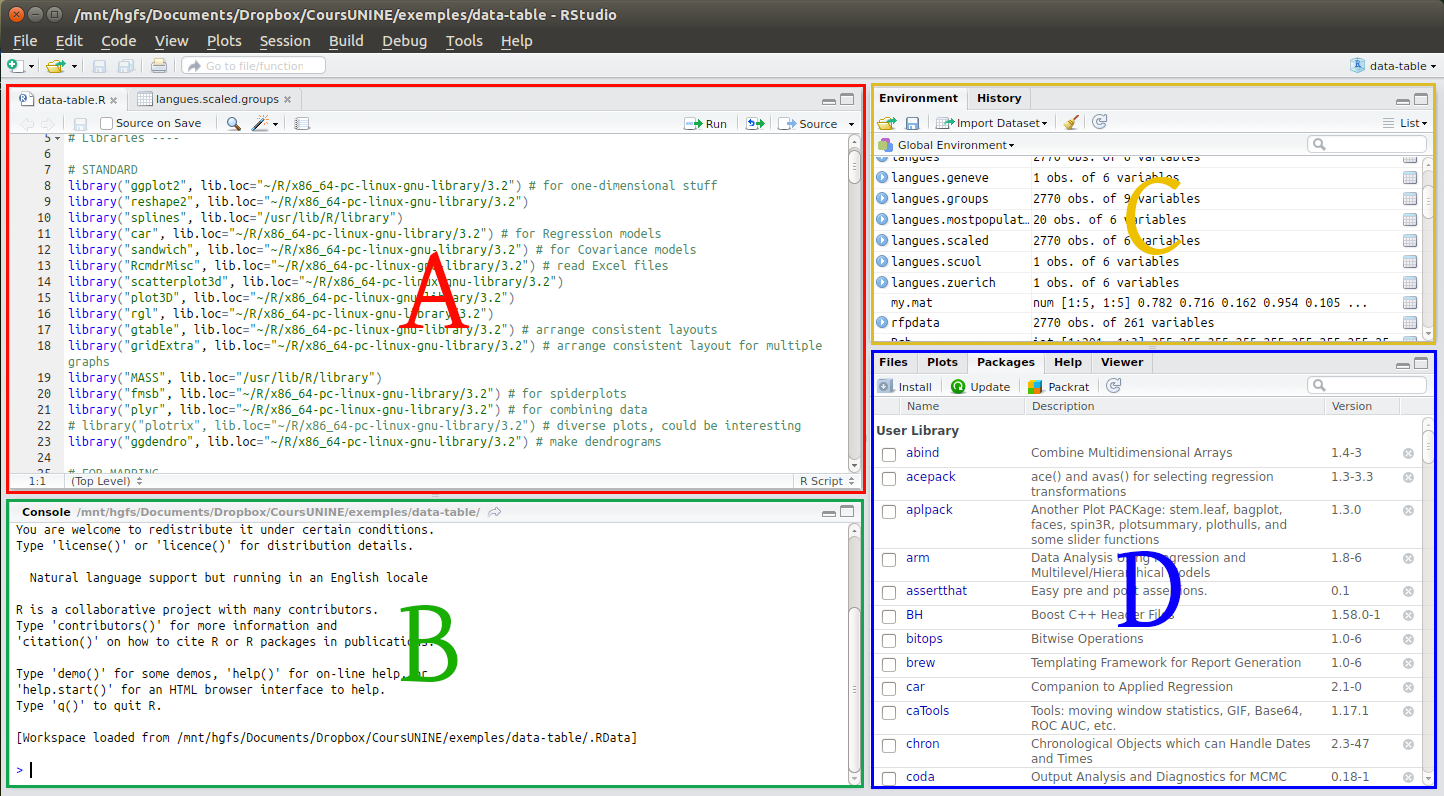
Cet exercice a pour préalable d’avoir installé R et RStudio. Se familiariser avec l’interface Ouvrez RStudio. Vous devriez voir l’interface comme à l’image ci-dessous, pour l’heure sans la partie A. La partie C est en principe vide: Les fonctions de ces différentes parties sont les suivantes: Exécutez des lignes de codes dans la console (B) […]
Tag Archives: Windows
Unknown column? Force encoding of an entire table from “unknown” to “UTF-8” in R on Windows

A common knitr issue on Windows Running R scripts on a Windows machine is equivalent to a dive into enconding hell. In effect, your non-English data most likely contains characters like Ä, ü, è or š, or even 语言. In all cases, the only serious way of dealing with these, in fact with any data […]
Restore “New > Text file” in Windows’ contextual menu
If you’ve changed your standard .tex file editor to Notepad2 or Notepad++, chances are that the contextual menu entry “Create New > Document file” has disappeared. To restore it, just save the following code as a .reg file and run it (thanks to Archos alias Limneos for posting the code on a SevenForums): Windows Registry […]
I want Windows 7 to sort my files alphabetically, and I mean from 0 to z!
I want Windows 7 to sort my files alphabetically, and I mean alphanumerically, from 0 to z, in ASCII order. Windows 7 acts way too smart sorting files by names to my taste. On more ancient versions of Windows (e.g. Windows 2000) the sorting order would be something like this: Ie4_01 Ie4_128 Ie401sp2 Ie5 Ie501sp2 […]
Change the language to English/US on all slides and boxes in PowerPoint 2007 to 2016
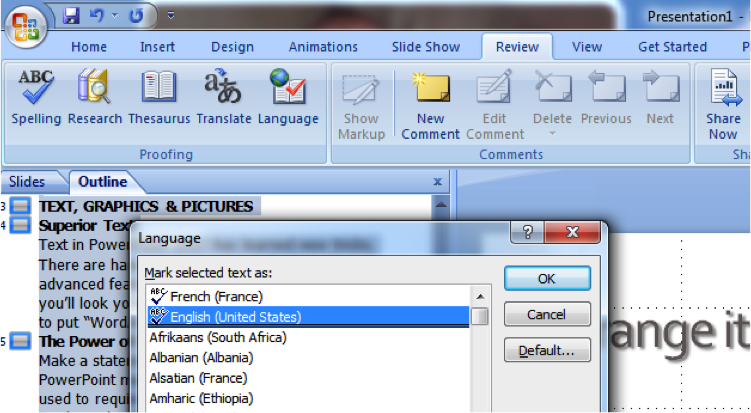
Changing the language of a whole presentation in MS PowerPoint can be tedious. Especially when you translate your slides. You easily end up with a mix of languages on a number of slides. You notice, then, that it is not possible to select the main one: the language button (on the bottom bar) is simply […]